

- XF 兼容性
- 2.3.x
- 摘要
- XFRM SEO Boost is a free, zero-config add-on for XenForo Resource Manager that enhances resource pages with featured images, optimized SEO meta, and smart Schema.org output. Choose from three display modes for featured images, override SEO fields directly on the edit page, and ensure consistent social sharing previews without relying on external CDNs.
Make every resource page count — for search engines, social sharing, and your readers.
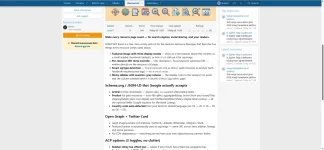
XFRM SEO Boost is a free, zero-config add-on for the XenForo Resource Manager. It adds the four things every resource owner cares about: a featured image, proper SEO meta, smart Schema.org output, and a sticky sidebar — all without touching XFRM templates.
1. Featured image with three display modes
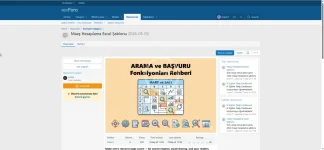
Choose where the featured image appears on each resource page. The same image is also used as og:image for social sharing, regardless of which display mode you pick.
Mode A — Show at top of content (hero banner)
The featured image renders as a full-width banner above the resource description. Best for visual resources, tutorials, and articles.
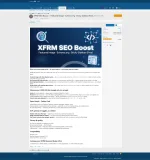
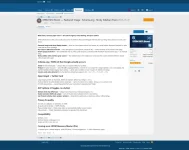
Mode B — Show in sidebar (default)
A clean thumbnail at the top of the resource sidebar, between the title and the metadata block. The most balanced option for general use.
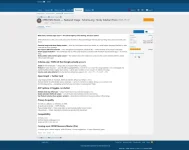
Mode C — Don't display (image only used for sharing)
The image is hidden on the page entirely, but og:image still goes out for Facebook, Twitter/X, LinkedIn, WhatsApp, etc. Use this when your resource has its own internal hero image and you don't want a duplicate.
2. Per-resource SEO meta override
Every resource gets four override fields directly on its edit page:
Meta title — overrides the HTML <title> and og:title (recommended 50–60 chars)
Meta description — overrides meta name="description" and og:description (recommended 150–160 chars)
Focus keyword — guidance only, helps you stay on topic while writing meta fields (not output to HTML)
Canonical URL — overrides <link rel="canonical"> when the same content lives at multiple URLs
Leave any field blank to fall back to XFRM defaults (title from resource, snippet from description, etc.).
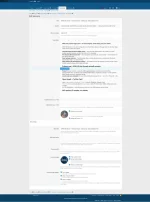
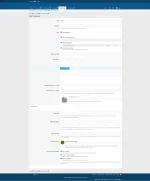
3. Same SEO fields on the resource ADD form
You can fill in SEO meta and pick the display mode at the moment of creating the resource — no need to save it first and then come back to edit. Featured image upload is right there too.
4. Listing card thumbnail
When display mode is not "none", the featured image automatically replaces the default resource icon on category and listings pages. Falls back to XFRM's stock icon if no image is uploaded.
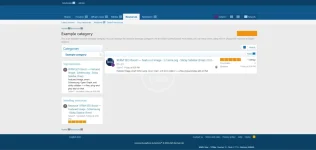
5. Sticky sidebar with seamless gray column
The resource sidebar locks to the viewport on scroll, so author info, ratings, share buttons, and the featured thumbnail stay accessible all the way down a long article. The gray sidebar column extends behind the sticky element to the bottom of the content area — no white gap, no broken border, no hacks.
The sticky top offset is configurable in the ACP (default 10px; raise to 50–80px if your forum has a fixed top navigation bar).
6. Smart og:type detection
og:type is detected automatically from each resource:
article — for free downloads and fileless resources (always renders cleanly on Facebook & LinkedIn with the og:image)
product — for resources with a price > 0 or external_purchase type, complete with product😛rice:amount and product😛rice:currency tags that Facebook's OG validator requires
No manual setup, no per-resource toggle. The detection runs from resource_type and price fields you already have.
7. Schema.org / JSON-LD that Google actually accepts
The add-on extends XFRM's stock JSON-LD with the fields Google's Rich Results Test and Merchant Listings check for:
Article schema for free resources — always valid (no required fields)
Product schema for paid resources — auto-fills:
▸ name (resource title)
▸ image (featured banner URL)
▸ offers (price + currency + availability + url)
▸ aggregateRating (when ratings exist)
▸ brand (auto-detected from your boardTitle)
▸ shippingDetails (zero-cost, instant delivery for digital products)
▸ hasMerchantReturnPolicy (digital return policy)
▸ interactionStatistic (view + download counters)
Country code auto-detected from your XenForo default language (en-US → US, tr-TR → TR, de-DE → DE)
8. Open Graph + Twitter Card
Large image preview on Facebook, Twitter/X, LinkedIn, WhatsApp, Telegram, Slack
Featured banner is the single canonical og:image — same URL across hero, sidebar, listings, and social previews
No CDN dependency — everything served from /data/resource_banner/ on your own server
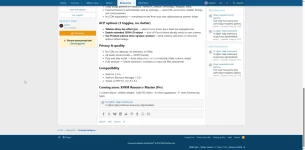
9. ACP options — 3 toggles, no clutter
The add-on adds exactly three options to your ACP, all in one group:
Sidebar sticky top offset (px) — 0–50, default 10. Raise this if your forum has a fixed top nav bar.
Enable extended JSON-LD output — turn off if your theme already emits its own schema and you want to avoid duplicates.
Use Product schema when og:type=product — keep schema valid even on resources without offers/ratings (falls back to CreativeWork if disabled).
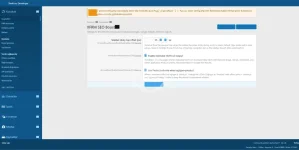
10. Clean ACP add-ons listing
Standard XenForo add-on metadata — clear developer link, support link, version. Uninstall is also clean: drops the add-on's table and removes the st_xfrmseo_banner_date column from xf_rm_resource. Your existing resources continue working with stock XFRM defaults afterwards.
11. Privacy & quality
No CDN, no callbacks, no telemetry, no DRM
All assets served locally — GDPR-friendly
Plug-and-play install — three setup steps run automatically (table, column, ready)
Fully phrased — Turkish translation included as a separate XML attachment for manual import (XF convention)
12. Compatibility
XenForo 2.3.6+
XenForo Resource Manager 2.3.5+
Tested on PHP 8.1, 8.2, 8.3, 8.4
Coming soon (maybe): XFRMResourceMaster (Pro)
3-column layout · sidebar widgets · bulk SEO editor · AI meta suggestions · 5+ extra Schema.org types.
XFRM SEO Boost is a free, zero-config add-on for the XenForo Resource Manager. It adds the four things every resource owner cares about: a featured image, proper SEO meta, smart Schema.org output, and a sticky sidebar — all without touching XFRM templates.
1. Featured image with three display modes
Choose where the featured image appears on each resource page. The same image is also used as og:image for social sharing, regardless of which display mode you pick.
Mode A — Show at top of content (hero banner)
The featured image renders as a full-width banner above the resource description. Best for visual resources, tutorials, and articles.
Mode B — Show in sidebar (default)
A clean thumbnail at the top of the resource sidebar, between the title and the metadata block. The most balanced option for general use.
Mode C — Don't display (image only used for sharing)
The image is hidden on the page entirely, but og:image still goes out for Facebook, Twitter/X, LinkedIn, WhatsApp, etc. Use this when your resource has its own internal hero image and you don't want a duplicate.
2. Per-resource SEO meta override
Every resource gets four override fields directly on its edit page:
Meta title — overrides the HTML <title> and og:title (recommended 50–60 chars)
Meta description — overrides meta name="description" and og:description (recommended 150–160 chars)
Focus keyword — guidance only, helps you stay on topic while writing meta fields (not output to HTML)
Canonical URL — overrides <link rel="canonical"> when the same content lives at multiple URLs
Leave any field blank to fall back to XFRM defaults (title from resource, snippet from description, etc.).
3. Same SEO fields on the resource ADD form
You can fill in SEO meta and pick the display mode at the moment of creating the resource — no need to save it first and then come back to edit. Featured image upload is right there too.
4. Listing card thumbnail
When display mode is not "none", the featured image automatically replaces the default resource icon on category and listings pages. Falls back to XFRM's stock icon if no image is uploaded.
5. Sticky sidebar with seamless gray column
The resource sidebar locks to the viewport on scroll, so author info, ratings, share buttons, and the featured thumbnail stay accessible all the way down a long article. The gray sidebar column extends behind the sticky element to the bottom of the content area — no white gap, no broken border, no hacks.
The sticky top offset is configurable in the ACP (default 10px; raise to 50–80px if your forum has a fixed top navigation bar).
6. Smart og:type detection
og:type is detected automatically from each resource:
article — for free downloads and fileless resources (always renders cleanly on Facebook & LinkedIn with the og:image)
product — for resources with a price > 0 or external_purchase type, complete with product😛rice:amount and product😛rice:currency tags that Facebook's OG validator requires
No manual setup, no per-resource toggle. The detection runs from resource_type and price fields you already have.
7. Schema.org / JSON-LD that Google actually accepts
The add-on extends XFRM's stock JSON-LD with the fields Google's Rich Results Test and Merchant Listings check for:
Article schema for free resources — always valid (no required fields)
Product schema for paid resources — auto-fills:
▸ name (resource title)
▸ image (featured banner URL)
▸ offers (price + currency + availability + url)
▸ aggregateRating (when ratings exist)
▸ brand (auto-detected from your boardTitle)
▸ shippingDetails (zero-cost, instant delivery for digital products)
▸ hasMerchantReturnPolicy (digital return policy)
▸ interactionStatistic (view + download counters)
Country code auto-detected from your XenForo default language (en-US → US, tr-TR → TR, de-DE → DE)
8. Open Graph + Twitter Card
Large image preview on Facebook, Twitter/X, LinkedIn, WhatsApp, Telegram, Slack
Featured banner is the single canonical og:image — same URL across hero, sidebar, listings, and social previews
No CDN dependency — everything served from /data/resource_banner/ on your own server
9. ACP options — 3 toggles, no clutter
The add-on adds exactly three options to your ACP, all in one group:
Sidebar sticky top offset (px) — 0–50, default 10. Raise this if your forum has a fixed top nav bar.
Enable extended JSON-LD output — turn off if your theme already emits its own schema and you want to avoid duplicates.
Use Product schema when og:type=product — keep schema valid even on resources without offers/ratings (falls back to CreativeWork if disabled).
10. Clean ACP add-ons listing
Standard XenForo add-on metadata — clear developer link, support link, version. Uninstall is also clean: drops the add-on's table and removes the st_xfrmseo_banner_date column from xf_rm_resource. Your existing resources continue working with stock XFRM defaults afterwards.
11. Privacy & quality
No CDN, no callbacks, no telemetry, no DRM
All assets served locally — GDPR-friendly
Plug-and-play install — three setup steps run automatically (table, column, ready)
Fully phrased — Turkish translation included as a separate XML attachment for manual import (XF convention)
12. Compatibility
XenForo 2.3.6+
XenForo Resource Manager 2.3.5+
Tested on PHP 8.1, 8.2, 8.3, 8.4
Coming soon (maybe): XFRMResourceMaster (Pro)
3-column layout · sidebar widgets · bulk SEO editor · AI meta suggestions · 5+ extra Schema.org types.


![[AndyB] XFRM ad manager](/data/resource_icons/4/4408.jpg?1720149256)
![[[XenGen Tr]] Seo Uyumlu TR karakter düzeltici](/data/resource_icons/13/13173.jpg?1720149301)
