

- 摘要
- helps to manage the checkout page fields in your WooCommerce Store.
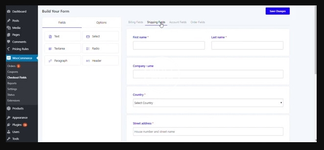
Woocommerce checkout field editor and manager plugin helps to manage the checkout page fields in your WooCommerce Store. Its drag and drop form builder helps editing checkout fields easier. It can be used to modify or hide default woocommerce checkout fields. This premium version gives a lot more features than its free version. Try it!
Drop-Drown Form Builder
Checkout field editor and Manager has a user-friendly drop-down form builder at the back-end. Adding new fields and re-positioning the existing fields are not a big task now because of this behaviour of our form builder.
One-Click Field Edit Window
The edit option for the fields will be shown at the right side of the window once you click on the field which you need to edit the existing properties. The field edit window consist of General, Advanced and Conditional option tabs.
Fields Supported
The checkout field editor and manager supports the following list of fields: Text, Password, Phone, Email, Hidden, Number, Textarea, Select, Multi-Select, Radio Group, Checkbox, Checkbox Group, Color Picker, Date, Time, Date-Time, File Upload, Heading, Paragraph, label, Google place select, Image group, Toggle Switch, URL, and Color group.
Edit Default and New Fields
Checkout field manager helps the users to edit both the already existing fields and newly added fields. The existing fields like First name, Last name, etc. have limited options to edit and newly added options have full edit options even delete it.
Enable Conditional Logic
Conditional Logic allows the customer to show or hide the fields & sections based on a condition or a group of conditions. Show or hide some fields & sections based on the values of other fields, products & categories added to cart, user role, cart subtotal & cart total, Payment method, Shipping method, User role. We hope this will be the most trending and useful utility that our plugin provides now.
Add New Checkout Fields
The basic feature of this plugin is to add new fields on the checkout form. This will let the product owner to know his customer more. There are different kind of field provided at the back-end get input from the customer.
Add New Sections
This is also a pro feature. It will help you to add a new section of fields other than the default address fields or billing fields.
Positioning Sections
The newly added sections can be placed at different areas of the checkout field. There are 13 different places provided like before customer details, after customer details, before order notes, after billing form, etc.
Order of Display of Fields and Sections
The display order of fields can be changed using the drag and drop option from the back-end. And the order of sections can be changed at the order field available at the edit window for that section.
Enable or Disable/Hide Checkout Fields and Sections
Enabling and disabling/hiding field and section are provided at the respective edit window of each.
Duplicate Checkout Fields and Sections
The plugin provides one click duplicate option for a field & sections. You can see the duplicate button at the top-right side of each newly added field. Click on it to duplicate the field with all it’s properties. Duplicate button for section can be seen on hovering that section name.
Show Fields in Order Details and Order Email
The fields can be shown or hidden from the Order details and the Order email. This option is enclosed within the Advanced tab of each field’s edit option.
2 Column Layout
This option let you adjust to show fields in half width or full width in checkout page. The option to change the width will show when you hover the mouse over each field.
Custom CSS Class
It can set custom css class for individual checkout fields and sections. The classes can be later used for styling the fields and sections. This option is enclosed within the Advanced tab of each field/section edit option.
Extra fee based on field selection
It can set optional fees for individual checkout fields. The additional costs are added based on that field selection. You can set fixed, Percentage of Cart contents total, Percentage of Cart subtotal, Percentage of Cart subtotal Excluding Tax and Custom Formula. There are options available to add tax for the extra fee added.
Nulled Method:
此隐藏内容仅对以下用户组成员可见:Bronze Member


