

- 摘要
- Easily create Prestashop mega menus with Live Edit and drag & drop features for vertical and horizontal layouts. Supports multi-level submenus, tabbed and link list options, and a responsive mobile-friendly design for seamless user experience.
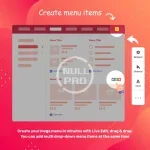
Mega Menu Builder is going to be faster and easier than ever with Mega Menu Builder in Prestashop. Fully responsive, supports both horizontal and vertical mega menus. Loading speed is optimized. Create a Prestashop mega menu using drag and drop in the back office.
We are sure that using the module it will be easier for you to create a mega-menu. Mega Menus are easier than ever to create with Live Edit, Drag and Drop.
1. Easily create a mega menu in Prestashop with Live Edit.
Currently, you can find another mega menu module that also provides drag and drop to create mega menus in Prestashop. We also offer this feature, BUT we did it thinking differently. Why not combine Drag & Drop with LIVE EDIT? The solution will save a lot of time for the store owner. Try the backend demo above and you will see how easy it is to create a Prestashop mega menu.
2. Vertical and horizontal menu.
We think that you might need a vertical or horizontal menu for your site. Or you may need both vertical and horizontal. That is why we would like to support both types of menus for your choice. For example, you can create a horizontal menu at the top and a vertical menu to the left of your site.
3. Ideal submenu
Drop-down tree menu: allows you to create multi-level submenus. The tree menu is ideal if you have multiple collections, multiple product categories. The app has unlimited levels of submenus
Tabbed submenus : This is the ideal type of menu for your buyer to find your products, favorite collection, etc. You can use dynamic content (product, collection) or static content (HTML, image) for the tab menu.
Link List, Block Links: The link list is useful for your client to discover multiple collections, such as a website. You can set width, height, number of blocks.
Featured Products: Increase your sales by displaying your featured product on the menu. Globo Mega Menu is support for product display in your menu.
Contact Form - Add a contact form directly to the menu. Help your customer stay connected with your store.
4. Ideal mobile menu
You have a complex menu, a mega menu on your desktop. Just leave it to your cell phone. The module automatically displays your menu on mobile devices. Your menu is fully responsive and mobile friendly. This way, you don't need to recreate the store menu on your mobile phone.


