

- 摘要
- Moderator for Youtube Live is an app for the Midrub CMS, which allows reply automatically.
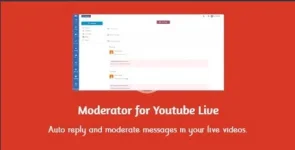
Download Moderator for Youtube Live - moderates automatically broadcasts messages 28756911
Moderator for Youtube Live is an app for the Midrub CMS, which allows reply automatically to the received messages in a Youtube’s live video. Moreover, the Moderator for Youtube Live app allows to delete automatically the unwanted messages.
HOW THE MODERATOR FOR YOUTUBE LIVE APP WORKS?
- First of all you have to connect your Youtube’s channels in this app.
- Then you have to subscribe the Youtube’s channels to the Moderator for Youtube Live app(to be monitored).
- Ater this, click on the Broadcasts button and start your live videos.
- You will see the live videos in real time and all messages will be divided in 3 categories: New Messages(which you can reply or delete), Replied Messages(which have a reply) and Deleted Messages(which where deleted).
- The Moderator for Youtube Live app allows you to easily identify only new messages and you can reply with a click.
HOW TO AUTOMATICALLY REPLY AND DELETE THE MESSAGES?
- In the Moderator for Youtube Live app you will see the Moderation page.
- There you will see the New Keywords button which allows you to create new keywords as condition for automatic actions.
- Each keywords collection could have one of two scopes(reply or delete messages).
- For each keywords you could select an accuracy for actions.
- After creation of the keywords you have to enable them and select the categories.
- The selected categories should be same which you have selected in a Youtube channel for which you want to use the keywords(Is enough one).
- Click on the Broadcasts button, start your live videos on Youtube and you will see how you’re messages are moderated automatically.
- If a message wasn’t moderated, you will see in New Messages and you can reply or delete maually.
You can anytime to edit your keywords collections. In addition, each keywords shows the messages which were processed, commenters with processed messages and a graph with 30 days activity.
In the Commenters page you can see all messages of a commenter which were saved. You just have to click on the Details button and use the pagination to see the messages. Each message shows even the title of the live video.
In the History page you can see all saved live videos from Youtube. If you’re clicking on each live video, you will get all messages divided in 3 categories: New Messages, Replied Messages and Deleted Messages.
In the Statistics page you can see the number of saved messages. You can filter them by Youtube Channel. Also, the same page shows a list with the most used keywords.
Moderator for Youtube Live is an app for Midrub and you can enable only for wanted plans. Also, you can limit the number of Youtube Channels per plan.


