

- 摘要
- Download Inventro - Inventory Management System codester 54468
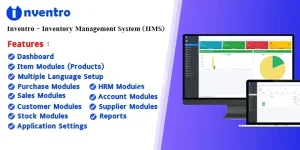
Inventro is ideal for small businesses, shops, and companies of all types. It offers comprehensive features for accounting, inventory management, invoicing, user management, and data analysis.
Easily add, edit, and delete items, and manage them efficiently.
Add, edit, and delete suppliers, and manage supplier details seamlessly.
Add, edit, and delete customers, and manage customer information effectively.
Track product purchases and analyze profit and loss in real-time.
Generate and manage invoices for product purchases and sales effortlessly.
Monitor and manage your inventory with a robust stock management system.
Manage your business finances with an integrated accounting system.
Streamline HR processes with employee management, attendance tracking, and payroll.
Generate detailed reports for sales, purchases, and inventory.
Assign roles and permissions to users for secure access control.
Track daily sales and analyze business performance.
Monitor daily purchase activities and manage supplier transactions.
Inventro includes the following files and resources:
- HTML, CSS, and JavaScript files
- PHP scripts
- CodeIgniter Framework
- MySQL database
- Full documentation
- Installer
- Licensing information
- Main application ZIP file (inventro_main.zip)
- Update log
- Extract the inventro_main.zip file. You will find the main application folder and a documentation folder. Please read the documentation before proceeding.
- Upload the inventro_main.zip file to your server using cPanel or FTP.
- Extract the uploaded ZIP file on your server.
- Move all files and folders (e.g., application, admin_assets, index.php, install, and system) to your public_html directory or a subfolder. Ensure the .htaccess file is correctly placed to avoid access issues.
- Navigate to http://yourdomain.com/install to begin the installation process. If all requirements are met, click the Next button.


