- PrestaShop 兼容性
- 1.6.x
- 1.7.x
- 摘要
- fix the problem of out of stock products still showing out on the front office.
Hiding out of stock products module for PrestaShop can fix the problem of out of stock products still showing out on the front office. It can automatically hide out of stock products from the front office and show them out when they are restocked.
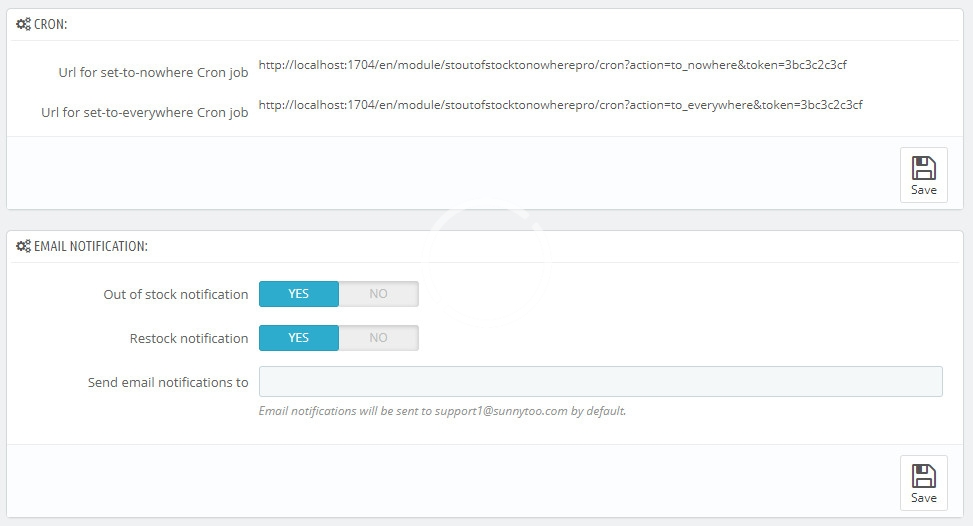
You can use a Cron job to hide out-of-stock products and show restocked products in these 2 cases.
Automatically hide out of stock products.
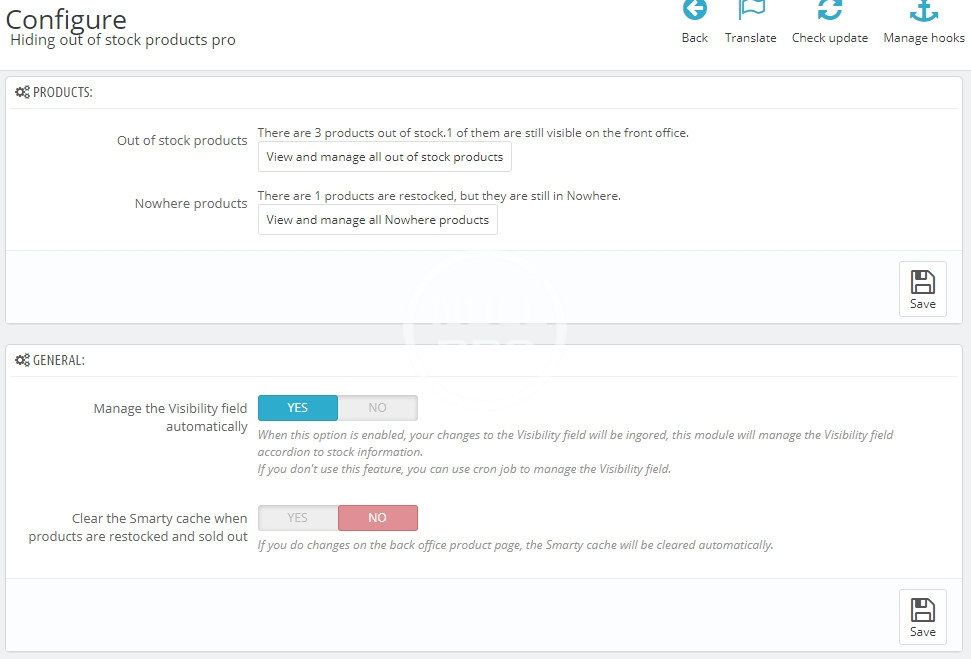
This module can automatically hide out of stock products by setting the "Visibility" field for out of stock products to "Nowhere", that's the best way to hide out of stock products, it doesn't need to override any files and is compatible with all themes and modules.- When a product is sold out, the module will set its "Visibility" field to "Nowhere", and then clear the Smarty cache automatically, to hide the product from on the front office immediately.
- When the product is restocked on the back office product page, this module will set its "Visibility" field back to "Everywhere", so the product will show out again on the front office.
- Threshold: Ability to hide products when the stock is under a certain number, generally products will be hidden when they are out of stock, you set it to a value, like 2, to hide products when the stock is lower than 2.
List all out-of-stock products out.
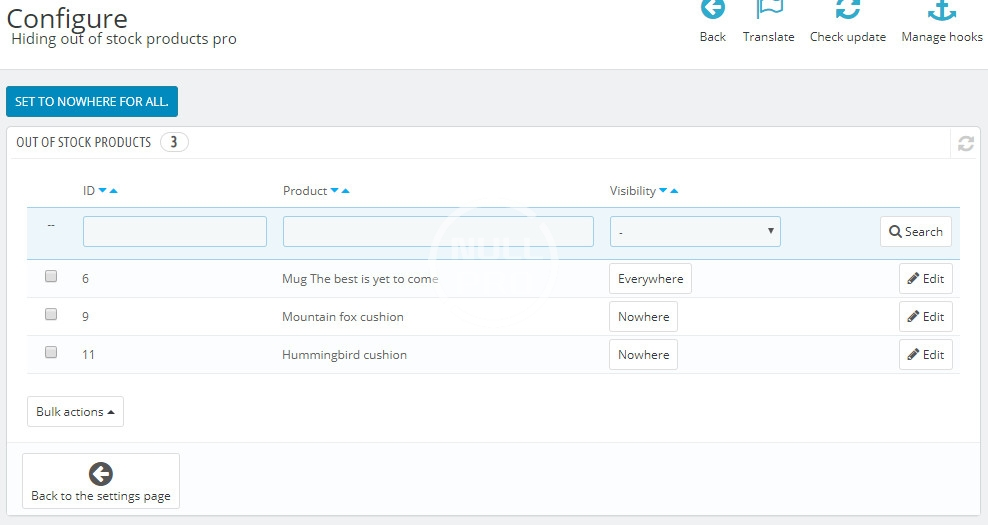
- List all out of stock products out with pagination, so you can check and set them to be in Nowhere manually.
- Set all out of stock products to be in Nowhere by one click.
- Set some out of stock products to be in Nowhere bulky.
List all products which are in Nowhere out.
- List all products which are in Nowhere with pagination, so you can check and set them to be in Everywhere manually.
- Set Nowhere products to be in Everywhere by one click.
- Set some Nowhere products to be in Everywhere bulky.
You can use a Cron job to hide out-of-stock products and show restocked products in these 2 cases.
- You are using a module or a software to manage stock.
- You disabled the "Manage the Visibility field automatically" option.