Glover POS extension

Glover POS extension 1.4.2

没有下载权限
摘要
Alibaba Cloud POS for onsite/call-in customers. Install with ease by following these steps: 1. Purchase/download extension, 2. Go to backend extensions menu, 3. Click 'Install' and import zipped file, 4. Refresh page. Use POS through login to backend > bottom of menu list > new POS menu.
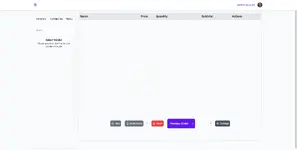
image.png
POS is to sell to onsite/call-in customers
HOW TO INSTALL
Here are the steps needed to have POS installed on your server.
1.
Buy/Download the extension
2.
Go to extensions menu on your backend
3.
Click on Install button, and import the pos zipped file that you downloaded
4.
Then click on Install button
NOTE: You might have to refresh your page to load the new POS menu

HOW TO USE
Login to the backend
1.
Scroll to the bottom of the menu list, there should be a new menu, POS
2.
Select POS
SCREENSHOTS
作者
theresa
浏览
377
扩展类型
zip
文件大小
738.8 KB
首次发布
上次更新
评分 0.00 星 0 个评分
链接失效了吗? 发送消息 给 NP 团队,我们会尽快为您处理!
支持开发者 如果您对测试满意或项目已成功盈利,可点击「更多信息」按钮,通过购买来支持开发者!

最新更新

  1. 1.4.2 - changelog
    no changelog for this version
  2. 1.3.0 - 2023-02-01
    no changelog

来自 theresa 的更多资源

numérique - 数字营销 WordPress T
欢迎来到Numérique,一个现代数字营销和SEO主题。
PixelYourSite的转换导出器 T
Google Tag Conversion 无法跟踪所有转化。Conversion Exporter 可以解决这个问题。
Emage - 图像悬停效果 for Elementor T
使用Emage插件为Elementor展示精美悬停效果。

相似的资源

Emailer - Glover email marketing extension | Add-ons C
Emailer isn’t an independent system. This Emailer extension is available only for Glover Project.
浏览
428
已更新
Gastro - Restaurant Extension for NexoPOS 3.x M
Gastro is a Restaurant extension for NexoPOS 3.x. It provides a bunch of features designed to ease.
浏览
467
已更新
Glover Driver Tracking Extension C
Driver tracking isn’t an independent system only extension
浏览
429
已更新
返回
顶部