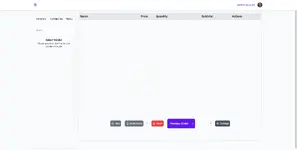
Glover POS extension

Glover POS extension 1.4.2

没有下载权限
摘要
For Glover
image.png
POS is to sell to onsite/call-in customers
HOW TO INSTALL
Here are the steps needed to have POS installed on your server.
1.
Buy/Download the extension
2.
Go to extensions menu on your backend
3.
Click on Install button, and import the pos zipped file that you downloaded
4.
Then click on Install button
NOTE: You might have to refresh your page to load the new POS menu

HOW TO USE
Login to the backend
1.
Scroll to the bottom of the menu list, there should be a new menu, POS
2.
Select POS
SCREENSHOTS
作者
theresa
浏览
324
扩展类型
zip
文件大小
738.8 KB
首次发布
上次更新
评分 0.00 星 0 个评分
Link was Broken? Please 发送消息 给 NP 团队,我们会尽快为您处理!
支持开发者 如果您对测试满意或项目已成功盈利,可点击「更多信息」按钮,通过购买来支持开发者!

最新更新

  1. 1.4.2 - changelog
    no changelog for this version
  2. 1.3.0 - 2023-02-01
    no changelog

来自 theresa 的更多资源

Geoport - Transport & Logistics WordPress Theme T
Geoport is the best WordPress theme for logistics, transport, and cargo company Websites.
Admin and Site Enhancements (ASE) T
easily enhance various admin workflows and site aspects while replacing multiple plugins
Masteriyo PRO  - LMS for WordPress Plugins T
You must ensure that you have installed each necessary before you can start using the Masteriyo.

相似的资源

Gastro - Restaurant Extension for NexoPOS 3.x M
Gastro is a Restaurant extension for NexoPOS 3.x. It provides a bunch of features designed to ease.
浏览
411
已更新
Glover Driver Tracking Extension C
Driver tracking isn’t an independent system only extension
浏览
383
已更新
Emailer - Glover email marketing extension | Add-ons C
Emailer isn’t an independent system. This Emailer extension is available only for Glover Project.
浏览
368
已更新
顶部