

- 摘要
- Glasseo - Glasses Store Woocommerce Elementor Template Kit. Create an attractive, fully responsive website with unique designs using just Elementor + Woocommerce. Features 25+ pages, ready-to-use templates, and cross-browser compatibility. Perfect for businesses looking to streamline their online presence without coding skills.
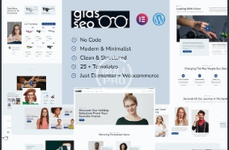
Glasseo - Glasses Store Woocommerce Elementor Template Kit is an Elementor Template Kit to quickly and easily create a website for your business using the Elementor Page Builder plugin for WordPress.
Elementor Template Kit really allows you to create a very attractive website without requiring coding skills
Features:
- Unique & Clean Design
- Modern design based on design system
- 25+ Ready to use pages, popup, templates and blocks
- Fully Responsive Layout
- Fully Customizable
- Just Elementor + Woocommerce
- Cross Browser Compatibility: Chrome, Firefox, Safari, Opera
- Global Theme Style
- Homepage
- About Us
- Our Team
- Customer Review
- Help Center
- Career
- Privacy Policy
- 404
- Coming Soon
- Contact Us
- New Arrival
- Collection
- Gift Card
- Flash Sale
- Product Archive
- Single Product
- Cart
- Checkout
- My Account
- Our Blog
- Post Archive
- Single Post
- Header
- Footer
- Optin
- Off Canvas
- Elementor
- WooCommerce
- Elementor Pro upgrade is required for some templates and features (not included)
- Install and Activate the "Envato Elements" plugin from Plugins > Add New in WordPress
- Do not unzip
- Go to Elements > Installed Kits and click the Upload Template Kit button.
- Before importing a template, ensure the Install Requirements button is clicked to activate required plugins
- For best results, do not import more than one template at a time.
- Go to Pages and create a new page and click Edit with Elementor
- Click the gear icon at lower-left of the builder to view page settings and choose Elementor Full Width and hide page title
- Click the gray folder icon to access My Templates tab and then Import the page you'd like to customize


