

- 摘要
- Fluent Design Theme Edition combines Fluent, iOS, Android, and Google design styles with unique features. Easily customize colors, animations, footer blocks, background, and more through intuitive settings without editing CSS.
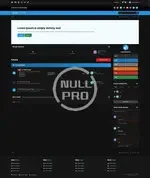
Fluent Design Theme Edition is a combination of Fluent Design styles Microsoft, iOS Design, Android Design and Google Design. We have also introduced many interesting features that are unique in standard themes.
Other settings:
- It is possible to change all colors, both light and dark, by editing the settings (without editing the CSS code),
- Enable / disable animation and direction animation,
- Adjust the width of the blocks in the footer,
- Adding your own background along with its setting in the footer,
- Changing the position of the forum description (Before or after sub-forums),
- Enable / disable shrink forum names,
- Enable / disable Forum statistics (Posts and topics),
- Custom forum category icons (Font Awesome 5),
- Enable / disable Unread Forum Badge,
- *Recommended* Viewing Topic Ratings in the Forum View,
- Viewing Topic Reactions in the Forum View,
- Custom background with customization (Separate for dark and light modes or only one for all styles),
- *Recommended* Personalization of the Scrollbar,
- Change the position of the cake when the user has a birthday in topic view (Next to the nickname or At the bottom of cAuthorPane),
- *Recommended* Notification with a red message if user the inbox is full,
- *Recommended* Blocking of reputation reversal,
- Enable / disable "Go to top" button,
- Enable / disable icons in Profile Fields,
- Change the position of the logo (Right, Left, Center),
- Header height change,
- Enable / disable sticky userbar,
- Enable / disable search icon in elUserNav,
- Enable / disable social media icons (Own icons with Font Awesome 5),
- Changing the position of social media (UserBar, Header, Footer),
- Enable / disable nav icons (Own icons with Font Awesome 5),
- Enable / disable UserLink_menu icons (Own icons with Font Awesome 5),
- Change the navigation background,
- Your own image in the header with its personalization,
- Enable / disable home icon
- Enable / disable Hook the navigation bar to the mobile style screen,
- You can choose the default header's style or with the logo only in the center of the screen in mobile mode.
- Changing all button positions in elMobileNav,
- Ability to choose the main color,
- *Recommended* It is possible to turn on the automatic change of the dark / light theme depending on the settings in the system,
- [cAuthorPane] Enable nick formatting,
- Change position "Report" and "Edit" button,
- Enable / disable Online status icon in topics,
- *Recommended* [Signature] Enable / disable text collapse,
- Hide the "Mark as resolved" button in the first post,
- Possibility to choose the location of the field with widgets (Default or on the entire width of the page),
- Enable / disable widgets icons (Own icons with Font Awesome 5),
- Change widget title text-align,
- *Recommended* Enable / disable trophies in top blocks,
- Enable / disable (Who's Online Witget) Count all users together,
- (Topic Feed) Show / hide where the topic was written,
- (Post Feed) Show / hide a piece of post content,
- (Post Feed) Show / hide where the topic was written,
- Option to colorize ticket statuses from ModeratorCP,
- Ability to disable hooking items from the userbar,
- Option to change the language in the form of a drop-down list or flags,
- Separate logos for the dark and light theme


