

- 摘要
- Enhance your RISE CRM security with our Backup And Restore module. FlexibleBackup automatically schedules backups for databases and files, ensuring data safety through email, S3, FTP, or SFTP servers. Easily restore in minutes with one-click convenience. Setup preferences, effortless file/database restoration, remote storage support, backup logs, and customizable scheduling options. Install via admin settings.
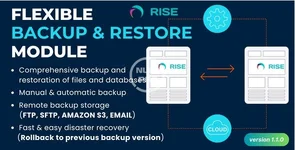
Your RISE CRM isn’t really safe unless you have a solid backup plan. Risks can arise from a variety of unforeseeable circumstances. Many problems can happen, such as hacker attacks, server crashes, viruses, user errors, accidental file deletions, and even improper command input. To address these concerns, we’ve developed the Backup And Restore module, which significantly enhances the security of your sites and content.
A comprehensive backup and restore module with automatic scheduling features is called FlexibleBackup. It makes easier to create different backup schedules for your database and files, At various intervals: hourly, daily, weekly, or monthly. These backups can be delivered securely to email addresses, Amazon S3, SFTP servers, or even FTP servers.
Additionally, it is quite easy to restore your RISE CRM system from a backup. You can start the restoration process with just one click of a button, and your site will be back online in minutes.
KEY FEATURES:
- Users can easily set up backup preferences, such as choosing where to store backups and naming conventions.
- You can restore from both file and database backups effortlessly.
- Swift and user-friendly disaster recovery process.
- Support for remote storage options like FTP, SFTP, Amazon S3, and even email.
- Preview your backups before downloading or restoring them.
- Keep track of your backup history with backup logs.
- Schedule backups at your convenience, at various intervals: hourly, daily, weekly, or monthly.
- Login to RISE CRM as a admin
- Goto Settings > Plugins
- Select upload.zip
- Click “install” button to complete the installation.
- Done & Enjoy.


